RoughBook - a Rugged Laptop
Imagine you need a laptop that can go anywhere, survive anything, and still work perfectly. Not just your regular laptop that breaks if you drop it or spill coffee on it. We're talking about a laptop that can handle being in a dusty mine, a super hot oil rig, or a freezing cold police car. That's exactly what our Acura RoughBook™ is!
It's a special kind of laptop, built to be incredibly strong and smart, so you can take your work to the most challenging places on Earth.
1. What is the RoughBook? It's a Laptop, But Way Tougher!
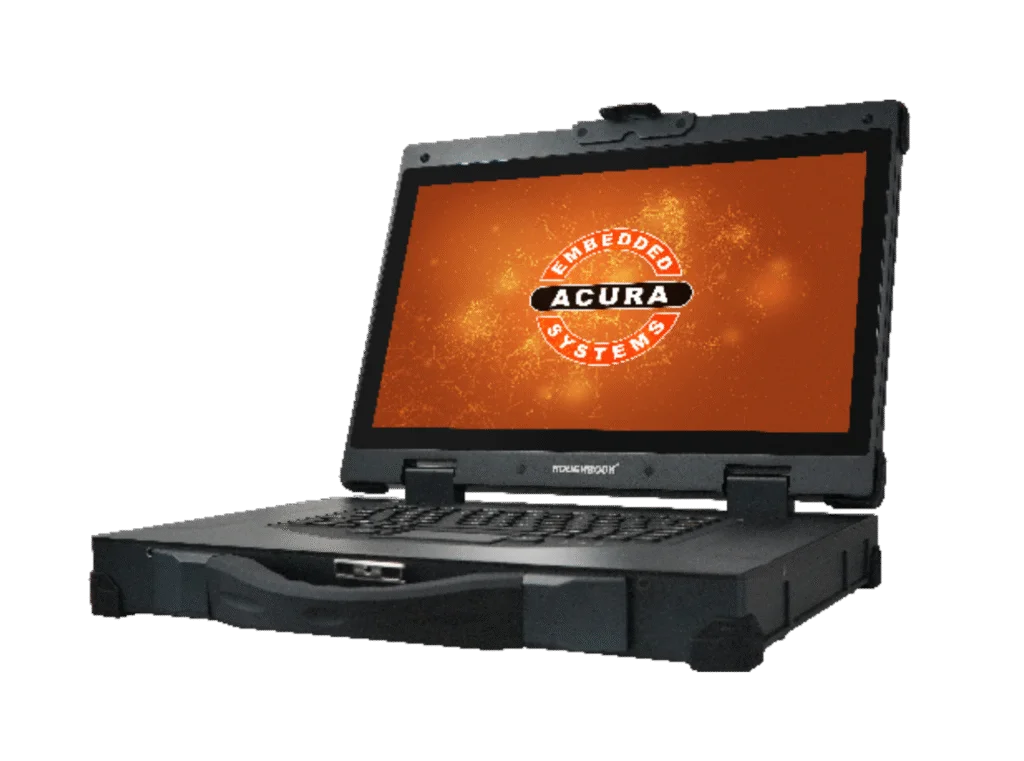
The RoughBook is what we call a "HazLoc Mobile Computer." Let's break that down:
"Mobile Computer": Well, that's easy! It's a laptop, meaning you can pick it up and take it with you wherever you need to go. It has its own screen, keyboard, and everything built-in.
"HazLoc": This is where it gets serious. "HazLoc" stands for "Hazardous Location." It means this laptop isn't just tough; it's certified to be safe in places where there might be explosive gases (like on an oil rig) or really dusty air (like in a mine). Normal electronics can cause a spark, but our HazLoc computers are built so safely that they won't cause an explosion. This is super important for keeping people safe!
"Rugged": This means it's built to withstand a beating. Think of it like a military-grade piece of equipment. It's not going to break easily if it gets bumped, dropped, or shaken around a lot.
So, the RoughBook is your powerful, safe, and portable workstation that goes with you into the most dangerous and extreme environments.
2. How Powerful Is It? The Brains and Memory Inside!
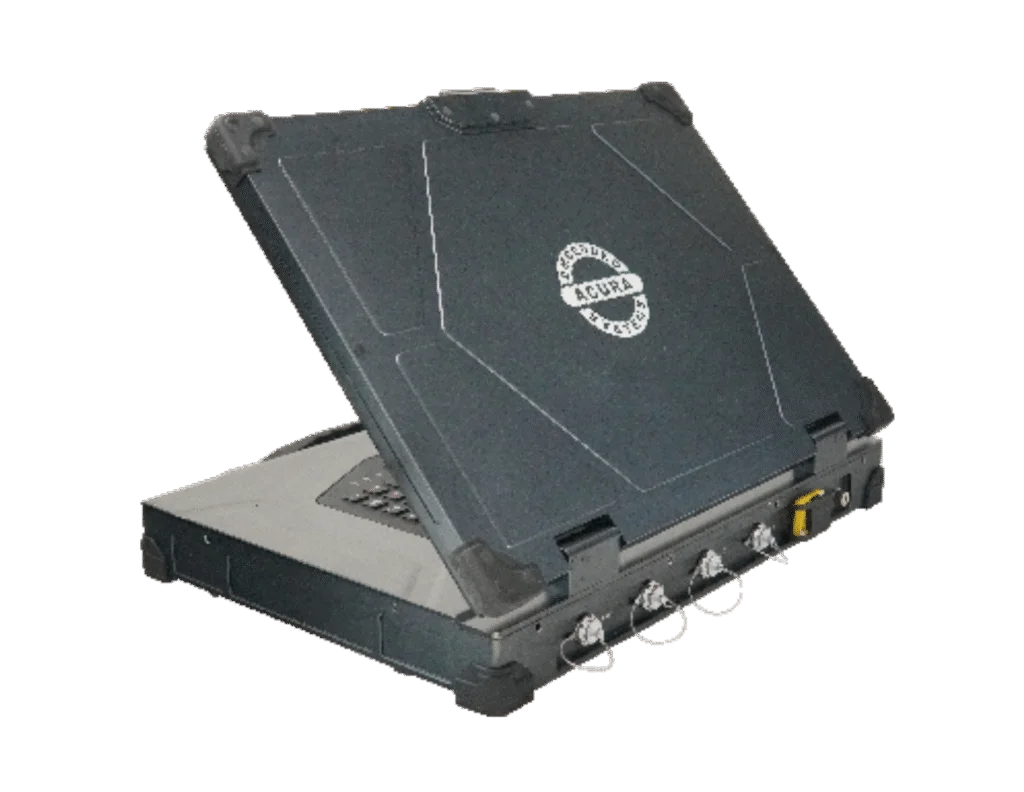
The RoughBook is packed with strong parts to make sure it runs smoothly, even when you're far from a comfy office.
Screen Size (Big and Clear!): It has a large 17.3-inch screen. That's a really good size for a laptop, giving you plenty of space to see maps, complex data, or lots of information at once, which is super helpful when you're out in the field.
The Brain (CPU): This is the main chip that does all the thinking and calculations. The RoughBook uses powerful Intel i5 or i7 CPUs (the "12th Gen" part just means it's a very modern and fast version of these chips). These are like having a super-smart brain that can handle lots of difficult tasks quickly.
Super Bright Screen (Even in Sunshine!): The screen can get incredibly bright, from 500 to 1000 NITS.
What are NITS? NITS is just a way to measure how bright a screen can get. Your phone might be 500 NITS. A regular laptop is often only 200-300 NITS.
Why 1000 NITS is Important: Imagine trying to read your phone outside on a very sunny day. It's hard, right? The sun washes out the screen. A 1000 NITS screen is so bright that it can cut through even direct sunlight, making sure you can always see what's on your screen clearly. This is critical for safety and efficiency when you're working outdoors on a rig or in a mine.
Short-Term Memory (RAM): This is like the computer's temporary workspace. The more RAM it has, the more programs and files it can juggle at the same time without slowing down. The RoughBook can have a huge amount, up to 64 Gigabytes (GB) of RAM. That's a lot, meaning you can run many complex programs at once without any frustrating delays.
Clear Picture (Resolution): The screen shows a very clear and detailed picture, called Full HD (1920x1080P). This means everything looks sharp, from maps to data charts.
Touch Screen (Works with Gloves!): You can touch the screen directly to control the computer, just like a tablet. It uses "Capacitive Multi-Touch," which is the same smooth technology as your smartphone. But here's the cool part: it's designed to work even when you're wearing thick work gloves! This is a huge safety and convenience feature, as you don't have to take your gloves off in dangerous or dirty environments just to use the computer.
Flexible Power (Plug It In Anywhere!): You can power the RoughBook using either standard wall power (110-240V AC) or direct current power (9-36V DC). This means you can plug it into a regular wall outlet or directly into a vehicle's power system, making it adaptable to almost any power source you'll find.
Operating System (What It Runs On): It can run either Windows (the familiar system most people use, including special industrial versions) or Linux (another powerful system often used for specific industrial tasks).
Long-Term Memory (Storage): It uses SSDs (Solid State Drives), which are super fast and tough. Unlike old-fashioned spinning hard drives, SSDs have no moving parts, so they're much better at handling bumps and vibrations.
3. Staying Connected: Never Lose Touch!
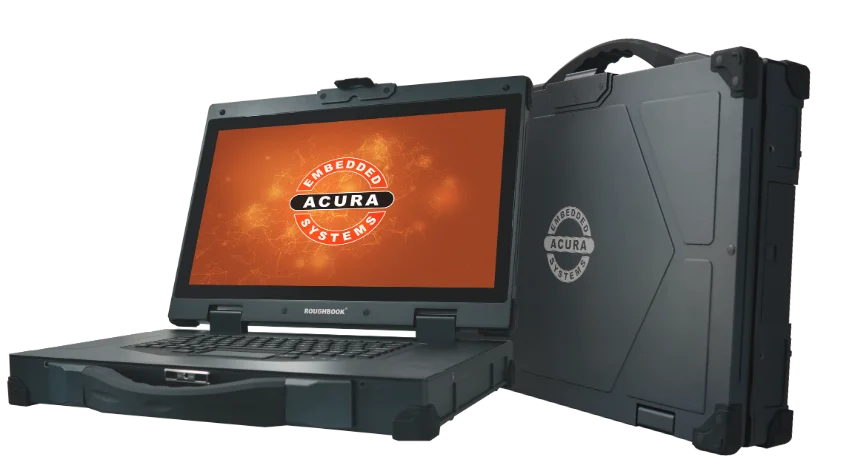
The RoughBook has all the ways you need to connect to other devices and the internet, no matter where you are.
Old-School Connections (Serial Port): It has a special port called a Serial Port (RS232 or RS485). Even though it's an older type of connection, many industrial machines still use it, so it's vital for plugging into existing equipment.
Wired Internet (LAN): It has a regular Ethernet port (RJ45 GBE) for super-fast wired internet connections when you're in an office or a place with a network cable.
USB Ports (For Your Stuff): You can plug in your USB sticks, external hard drives, or other devices into its 3 USB ports.
Power Over the Internet Cable (PoE - Optional): This is a clever feature! Some RoughBooks can have Power over Ethernet (PoE). This means that if you connect certain devices (like special cameras or Wi-Fi antennas) with an Ethernet cable, that same cable can also send power to them! You don't need a separate power cord for those devices, which makes setting things up in the field much simpler and tidier.
Wireless Internet (Wi-Fi): It has the latest and fastest Wi-Fi (802.11 AX) so you can connect to wireless internet networks.
Wireless for Your Devices (Bluetooth): You can connect wireless headphones, a mouse, or other small devices using Bluetooth.
Mobile Internet (4G/LTE/900 MHz Radio - Optional): If there's no Wi-Fi, the RoughBook can connect to 4G/LTE mobile internet (like your smartphone does) to get online. It can also have a special 900 MHz radio. This type of radio is slower, but it's really good at sending signals through metal and around obstacles, which is perfect for tricky industrial sites where regular Wi-Fi might not reach.
Super Strong Plugs (Industrial/MIL-Grade Connectors): All the plugs and ports on the RoughBook are extra strong and sealed. They are "Industrial/MIL-Grade," meaning they are built to military standards to handle harsh conditions, unlike the flimsy plugs on regular laptops.
4. Built Like a Tank: Surviving Anything!
The RoughBook is not just tough; it's designed to keep working perfectly in truly extreme conditions.
Works in Extreme Heat and Cold: It can operate reliably in temperatures from a freezing -40°C (-40°F) all the way up to a scorching +60°C (+140°F). This means it's ready for anything from an Arctic oil field to a desert mine.
Water and Dust Proof (IP65): It has an IP65 rating on all sides. This means it's completely dust-tight (no dust can get in) and protected against water jets from any direction. So, if it gets splashed or even hosed down, it will be fine! This is why we say it's "fully washable."
Super Strong Body: The casing is made from a special Magnesium Anodized Alloy. This material is very lightweight but incredibly strong, like what they use in some high-performance sports cars or aircraft. The whole computer is also fully sealed, so nothing can sneak inside.
No Fans, No Heater - Smart Cooling!
Unlike most laptops that have noisy fans inside to cool them down, the RoughBook has no fans at all. This is a huge advantage in dirty or wet places because fans would suck in dust and water, causing the computer to break.
How it Stays Cool: Instead of fans, the RoughBook uses its entire metal casing to get rid of heat. The heat from the internal parts (like the brain chip) travels to the metal casing, and then the casing simply radiates the heat away into the air. It's a very clever and silent way to stay cool.
No Heater Needed: Because of its smart design, it also doesn't need a separate heater to work in very cold temperatures. It's built to handle the cold naturally.
Handles Shakes and Bumps: It's built to withstand constant vibrations and occasional hard knocks, which is common in vehicles or industrial sites.
5. Where Can You Use a RoughBook? Your Mobile Workstation!
The RoughBook is perfect for anyone who needs a powerful computer on the go in a challenging environment:
Oil and Gas Fields: For engineers and operators who need to check data, run tests, or control equipment directly on an oil rig or a remote well site.
Mining Operations: For supervisors or technicians who need a computer in a dusty, wet, or bumpy mine, whether it's an open pit or underground.
Police, Fire, and Ambulance (Public Safety): For first responders who need reliable access to maps, incident details, and communication tools directly in their vehicles or at an emergency scene.
Logistics and Transportation: For managing inventory in tough warehouses or collecting data from transportation fleets that operate in harsh weather.
Resource Energy: For workers who need a computer at remote power plants or renewable energy sites.
6. Customization: Making the RoughBook Yours
Acura doesn't just sell you a standard RoughBook; we can make it truly unique for your company and your specific job.
Custom Plugs (I/O Connectors): We can change the types and number of plugs (USB, Ethernet, serial, etc.) on your RoughBook to perfectly match the specific devices you need to connect.
Built-In Special Parts (Custom Board Integration): If you have a special electronic board or device that your company uses, we can often integrate it directly inside the RoughBook. This means you don't need a separate box for that device, making your setup much cleaner and more reliable.
Your Software, Ready to Go: We can load your company's specific software onto the RoughBook before we even send it to you. This saves you a lot of time setting up each new computer.
Your Look, Your Brand:
Custom Colors: We can even make the RoughBook in your company's specific color! This helps your team easily spot their equipment and makes it feel like a true part of your company.
Your Logo When It Starts Up: We can put your company's logo on the screen that appears when the RoughBook first turns on. It's a small detail, but it makes the computer feel truly custom-made for you.
There are no comments for now.
to be the first to leave a comment.